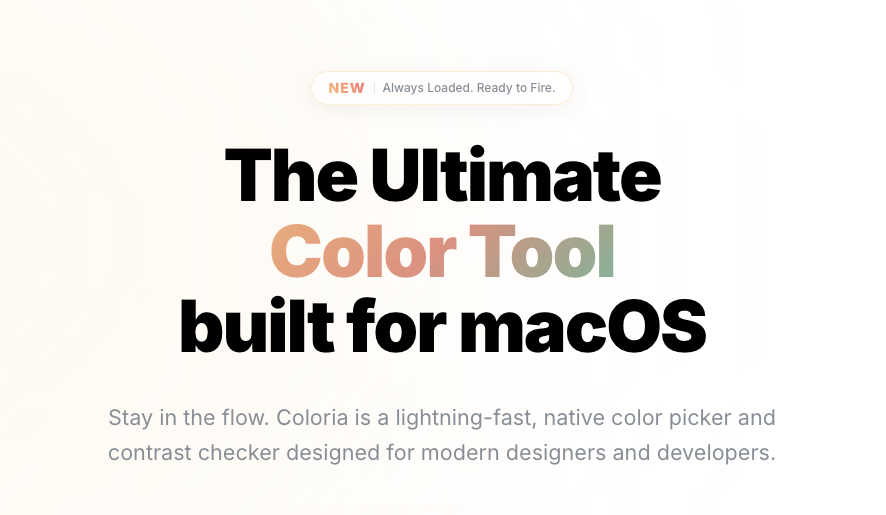
If you're a designer or front-end developer, you've probably asked "What exact color is that?" dozens of times a day. macOS ships with a built-in color picker, but let's be honest — it falls short for professional workflows. Today, I'm doing a deep dive into Coloria Pro, a native macOS color management utility that goes well beyond simple color sampling. We'll cover features, pricing, and how it stacks up against Sip, ColorSlurp, and Pika.
- What Is Coloria Pro?
- Feature #1: Smart Pick — Pixel-Perfect Color Sampling
- Feature #2: WCAG Contrast Checker — Real-Time Accessibility
- Feature #3: Color Harmonies & Palette Management
- Feature #4: Cloud Sync Across Devices
- Pricing — Is $2/Month Worth It?
- Head-to-Head: Coloria Pro vs. Sip vs. ColorSlurp vs. Pika
- Real-World Workflow — Figma, Xcode, and Beyond
- User Experience — Background Mode & Custom Shortcuts
- Verdict — Who Should Use Coloria Pro?
What Is Coloria Pro?
Coloria Pro (coloria.me) is a native macOS color picker and contrast checker built specifically for designers and developers. It's not just another eyedropper tool — it's a full-featured color management utility with WCAG accessibility testing, automatic color harmony generation, and cloud-synced palettes, all running natively on macOS.
The app requires macOS 14.0 (Sonoma) or later and is written in native code, meaning minimal system resource overhead. Unlike browser extensions or Electron-based alternatives, Coloria Pro interfaces directly with macOS's ColorSync system to deliver accurate color values free from display profile distortion. That's its core differentiator.

Feature #1: Smart Pick — Pixel-Perfect Color Sampling
The flagship feature of Coloria Pro is Smart Pick. Hit the global shortcut ⌘⇧C from anywhere on your system, and you can instantly capture the color of any pixel on screen.
Why the Built-In Eyedropper Isn't Enough
macOS uses "Looks Like" scaling for high-resolution Retina displays. Because the physical resolution and the logical resolution differ, a naive screen capture can introduce color blending artifacts from anti-aliasing. Coloria Pro's Smart Pick engine reads color data directly from the system rendering pipeline, eliminating these artifacts and extracting the pure source-level color value.
The loupe interface magnifies the pixel grid, making it easy to select the exact color you want — even on icon edges or 1px borders.
Supported Color Formats
Extracted colors are converted in real time depending on your development environment. Supported formats include:
- Web development: HEX, RGB, HSL
- iOS/macOS development: UIColor, NSColor (Swift/Objective-C)
- Graphics programming: OpenGL, LAB, CMYK, HSB
- Other: Floating-point (0–1) values for hardware-accelerated rendering
Very few macOS color pickers support this breadth of formats in a single app. The automatic UIColor/NSColor conversion alone is a major time-saver for iOS and macOS developers.
Feature #2: WCAG Contrast Checker — Real-Time Accessibility
In 2025, accessibility compliance isn't optional — it's a baseline expectation. Coloria Pro calculates the luminance contrast ratio between foreground and background colors in real time, instantly displaying whether your combination meets WCAG AA or AAA standards.
• AA (normal text): Contrast ratio of 4.5:1 or higher
• AA (large text): Contrast ratio of 3:1 or higher
• AAA (normal text): Contrast ratio of 7:1 or higher
Coloria Pro runs these calculations in the background automatically, so you get instant readability feedback the moment you pick a color.
No more switching back and forth to an online contrast checker. You can select colors and verify accessibility in a single step, which meaningfully shortens the design feedback loop in practice.
Feature #3: Color Harmonies & Palette Management
Automatic Color Harmony Generation
Building a cohesive color system takes time. Coloria Pro lets you select a base color and automatically generates mathematically derived combinations: Complementary, Analogous, Split-Complementary, and more.
Working from calculated harmonies means you can build consistent design themes much faster, especially when deriving secondary and accent colors from a brand palette.
My Palettes — Organize Colors by Project
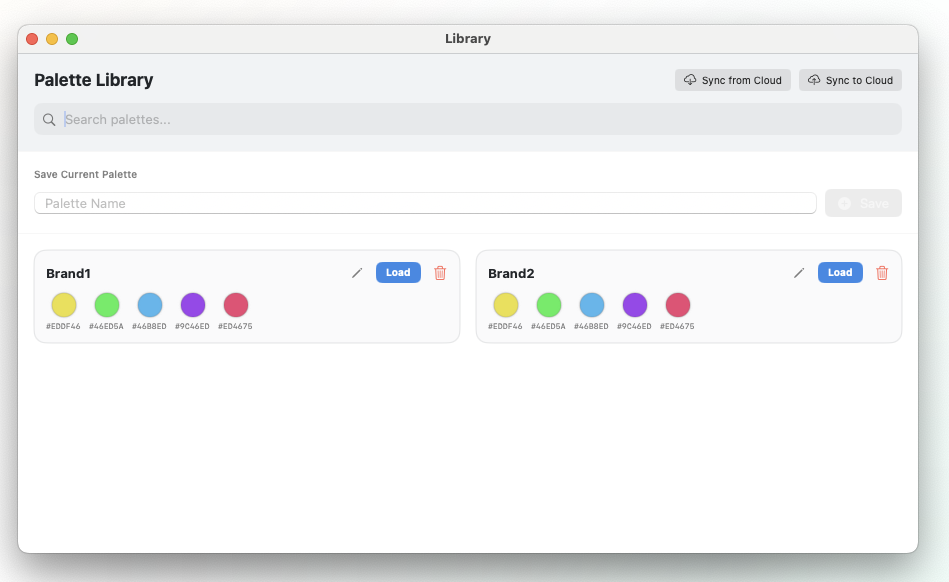
Extracted colors can be saved and organized into named, categorized palettes using the "My Palettes" feature. This makes them easy to reference during client presentations or team collaboration — essentially functioning as a portable color guideline document.
Feature #4: Cloud Sync Across Devices
For anyone who works across multiple Macs, this is a welcome addition. A palette saved on your office Mac Studio syncs with one click and is immediately available on your MacBook Pro when you're working remotely.
If you've ever dealt with color data inconsistencies between machines — or manually exported and re-imported palettes — Coloria Pro's cloud sync eliminates that friction entirely.
Pricing — Is $2/Month Worth It?
Coloria Pro's pricing structure covers everyone from casual users to full-time professionals. All paid plans include a 7-day free trial with no credit card required.
| Plan | Price (USD) | Key Benefits |
|---|---|---|
| Free | $0 (forever) | Basic color picker, HEX copy only |
| Monthly | $2 / month | All Pro features (WCAG, harmonies, cloud sync, etc.) |
| 1-Year | $20 / year | ~17% savings vs. monthly (2 months free) |
| 2-Year | $36 / 2 years | ~25% savings vs. monthly (6 months free) |
At $2/month, Coloria Pro's entry price is notably competitive. Sip charges $10+ per year for its subscription, and ColorSlurp Pro sits in a similar range. Factor in the long-term plans, and Coloria Pro offers a strong value proposition — particularly for independent designers and smaller teams watching their tool budgets.
Head-to-Head: Coloria Pro vs. Sip vs. ColorSlurp vs. Pika
The macOS color utility market already has several well-established players. Here's how Coloria Pro positions itself against the competition across key categories.
| Feature | Coloria Pro | Sip | ColorSlurp | Pika |
|---|---|---|---|---|
| Price | $2/mo (subscription) | $10+ (subscription) | $10 (one-time/subscription) | Free (open source) |
| Accessibility | Real-time WCAG ✅ | Supported ✅ | Pro version only | Supported ✅ |
| Cloud Sync | One-click ✅ | Supported ✅ | Supported (paid) | Not available ❌ |
| Color Harmonies | Auto-generated ✅ | Supported ✅ | Supported ✅ | Not available ❌ |
| Best For | Latest macOS optimization, low cost | Feature depth, Smart Format | Speed, Apple Silicon | Zero cost, open source |
Coloria Pro vs. Sip
Sip has long been a staple in the macOS color picker market. Its standout features include "Smart Format" (which automatically switches color format based on the active app) and the "Color Dock" that sits at the edge of your screen. However, since transitioning to a subscription model, some users have pushed back on pricing. Coloria Pro doesn't match Sip's feature complexity, but it delivers the essential features with a cleaner interface and a lower price point, with an emphasis on stability on the latest macOS releases.
Coloria Pro vs. ColorSlurp
ColorSlurp has earned praise for its performance on Apple Silicon and its signature "slurp" sound effect. That said, some users have reported cloud sync bugs in recent versions. Coloria Pro has clearly prioritized cloud sync reliability as a competitive differentiator in response.
Coloria Pro vs. Pika
Pika is an open-source, free tool that even includes contrast checking — making it popular with students and beginners. However, it lacks cloud sync, advanced color harmony generation, and multi-format code output, which means it hits a ceiling quickly in professional workflows.
Real-World Workflow — Figma, Xcode, and Beyond
Figma & Adobe Creative Cloud Integration
Coloria Pro acts as a bridge between inspiration found outside your design tool and the work happening inside it. Spot an interesting color on a website or in a video? Capture it with ⌘⇧C, save it to a palette, and apply it directly to your Figma style guide.
When working with Adobe products, Coloria Pro respects system ICC color profiles, helping reduce color mismatch between assets across different tools in your pipeline.
Xcode & VS Code — Developer Productivity
For front-end and app developers, Coloria Pro is a productivity tool that eliminates manual code entry. Captured colors are automatically converted to the format matching your dev environment and copied to your clipboard.
1. Pick a color from the design mockup with ⌘⇧C
2. Auto-converted to
UIColor(red: 0.23, green: 0.48, blue: 0.84, alpha: 1.0)3. Paste directly into Xcode
This eliminates human error from manual value entry and minimizes the gap between design specs and implementation.
User Experience — Background Mode & Custom Shortcuts
Background Mode — Stays Out of Your Way
Coloria Pro doesn't require a persistent main window. It lives quietly in the menu bar and only surfaces when you invoke it via a global shortcut. This means it never interrupts your design or coding flow. Dark mode and light mode themes are supported to match your system preferences.
Fully Customizable Shortcuts
Every major function can be remapped to a custom keyboard shortcut. This prevents conflicts with other productivity tools and lets you build a personalized workflow. It may sound minor, but if you're picking colors dozens of times a day, the ergonomic difference adds up quickly.

Verdict — Who Should Use Coloria Pro?
Coloria Pro takes the sophisticated color management architecture of macOS and makes it accessible through a professional-grade, lightweight tool. It goes beyond basic color picking to deliver WCAG compliance checks, automatic color harmonies, and seamless cloud sync — all for $2 a month.
• UI/UX designers on macOS 14.0+ who need precise color management
• iOS/macOS developers who need instant UIColor/NSColor code conversion
• Front-end developers who need fast WCAG contrast validation
• Freelancers and design teams working across multiple Macs
• Anyone looking for a more affordable alternative to Sip or ColorSlurp
One small note: the name "Coloria" can sometimes get mixed up with coloring book apps in search results. For the best results, search for "Coloria Pro" or go directly to "coloria.me".
The free plan covers basic color picking, and the 7-day free trial unlocks every Pro feature with no credit card required — so the easiest way to decide is to just try it yourself. 👉 coloria.me
Design Without Interruption.
Stop context switching. Coloria keeps your workflow fluid with native speed and integrated professional tools, right where you need them.
www.coloria.me
'비디오' 카테고리의 다른 글
| MAC 컬러 피커 끝판왕? Coloria Pro 완벽 리뷰 – 기능·가격·비교 총정리 (0) | 2026.02.12 |
|---|---|
| Coloria Pro 기술 분석: macOS 기반 전문 컬러 매니지먼트 유틸리티의 기능·아키텍처·시장 입지 (0) | 2026.02.12 |
| ComfyUI 첫걸음: AI 이미지 생성, 레고처럼 쉽고 재미있게! (0) | 2025.05.07 |
| 커머셜 영상 제작 산업에서 ChatGPT의 영향력과 미래 전망 (0) | 2025.05.07 |
| 미드저니, ComfyUI, Dall-E 3 비교 분석: AI 이미지 생성 서비스 심층 보고서 (0) | 2025.05.06 |